Master and Slave in one app
Choose RTU Master or generic Slave. Disconnect before switching roles or Win/WSL serial modes.
MODBUS RTU · WINDOWS BETA
 Doro Modbus
Read, write, simulate.
A capable RTU toolkit. One very cute companion.
Choose Master or Slave and get started.
Loading likes…
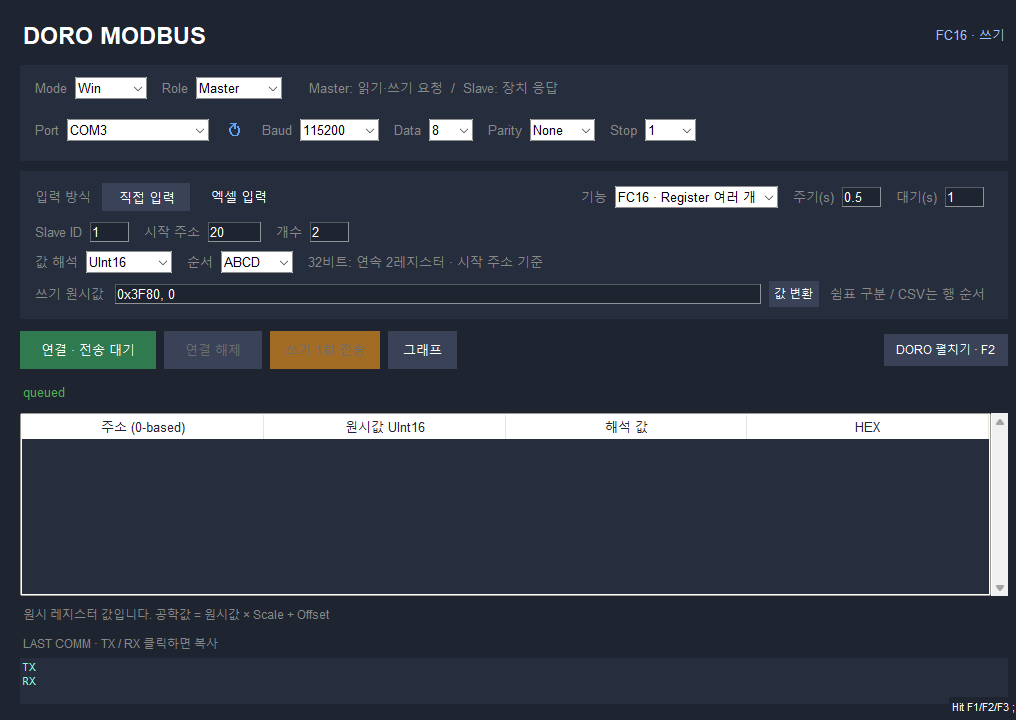
Actual Windows app screens
SKILL INVENTORY
The tools for your next Modbus RTU test. Pick a role and bring Doro along.
Choose RTU Master or generic Slave. Disconnect before switching roles or Win/WSL serial modes.
Read with FC01/02/03/04 and write with FC05/06/15/16. Writes are sent only when you press the one-shot write button.
Manage addresses with just Slave ID and Device Address columns. Save, select, and delete files in a dedicated CSV folder.
Choose UInt16, Int16, UInt32, Int32, Float32, and byte/word order. Apply Scale/Offset or convert values into raw registers.
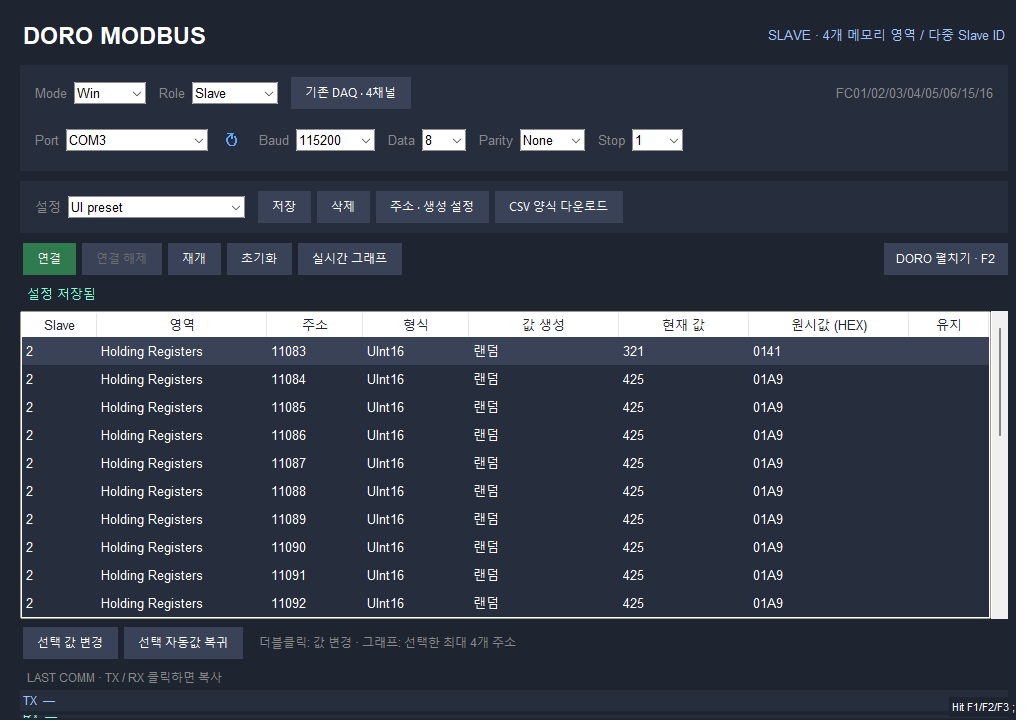
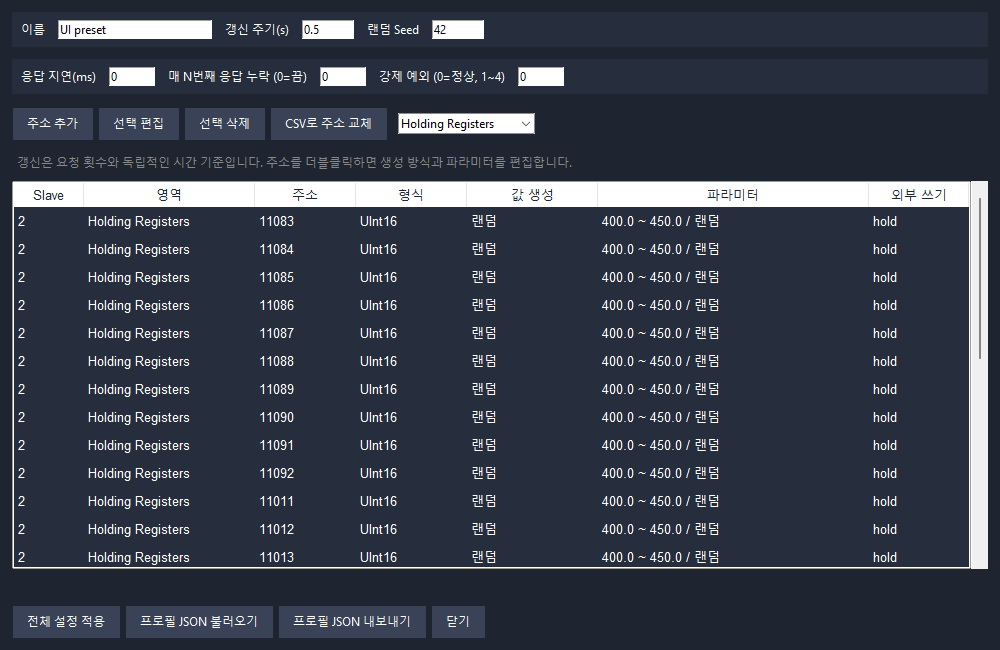
Configure fixed, random, ramp, sine, and timed scenario generators. Test response delays, dropped responses, and forced exceptions.
Plot up to four values and click TX/RX frames to copy them. Save dedicated settings and profiles, with Doro alongside your work.
This website is available in English. The app currently uses a mix of Korean and English labels.
WORLD BUILDER
Choose how values change, then try them in a simulated Slave.
GET READY
Download the Windows 64-bit executable. Check the release page for the beta version and changes.
Run the EXE and select Master or Slave. No Python installation is required.
Match the COM port, baud rate, data bits, parity, and stop bits to your device. Set the Slave ID and address, then connect.
This beta supports Modbus RTU only. TCP, ASCII, FC22/23, and device discovery are not included.
Enter the actual zero-based PDU address. Reference numbers such as 40001 and 30001 are not automatically converted.
Use CSV or TSV. Save .xlsx files as CSV first. The required columns are Slave ID and Device Address.
Choose WSL mode in the Windows app. Ubuntu, /usr/bin/python3, and a serial device attached to WSL are required. The worker includes pyserial.
Settings and the dedicated CSV folder live under %LOCALAPPDATA%/EngineSimulator_DoroModbus, separate from Modbus Monitor.
This beta download is for Windows x64. No macOS executable is provided.
The current beta EXE is built with GitHub Actions and is unsigned. You can check the file hash against SHA256SUMS.txt in the official release.